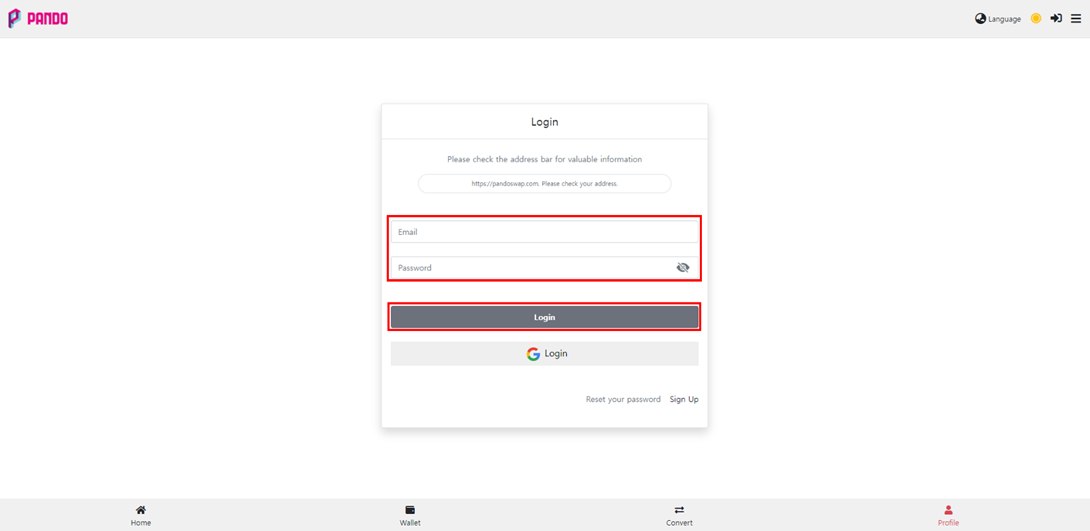
1. Please log in after accessing the Pando Swap site.
- Pando Swap URL: https://pandoswap.com
※ If you use the same email, switching between accounts can be done using the [Login] and [G-Login] buttons accordingly.
Please check whether the email linked to the game is [Login] or [G-Login].
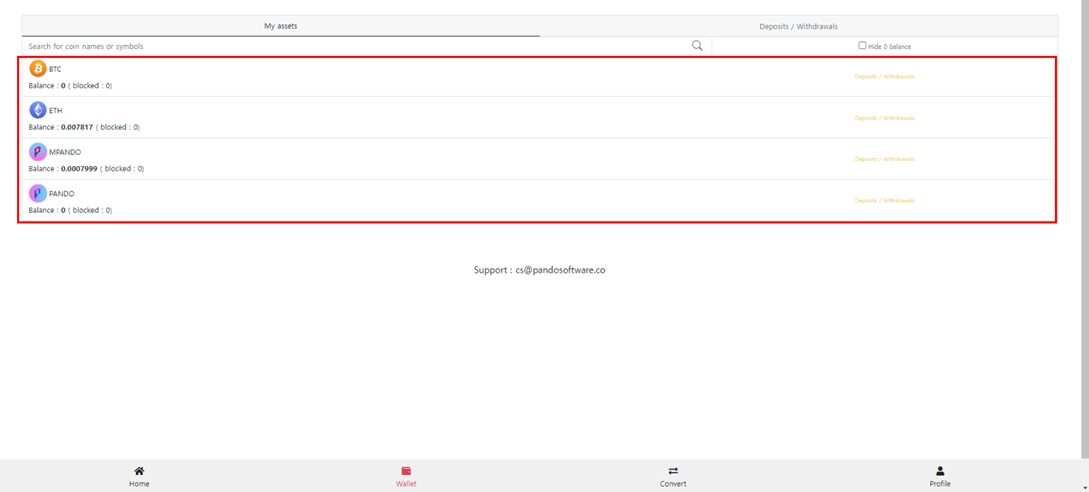
2. Click on the asset you want to withdraw from the list of assets you have.
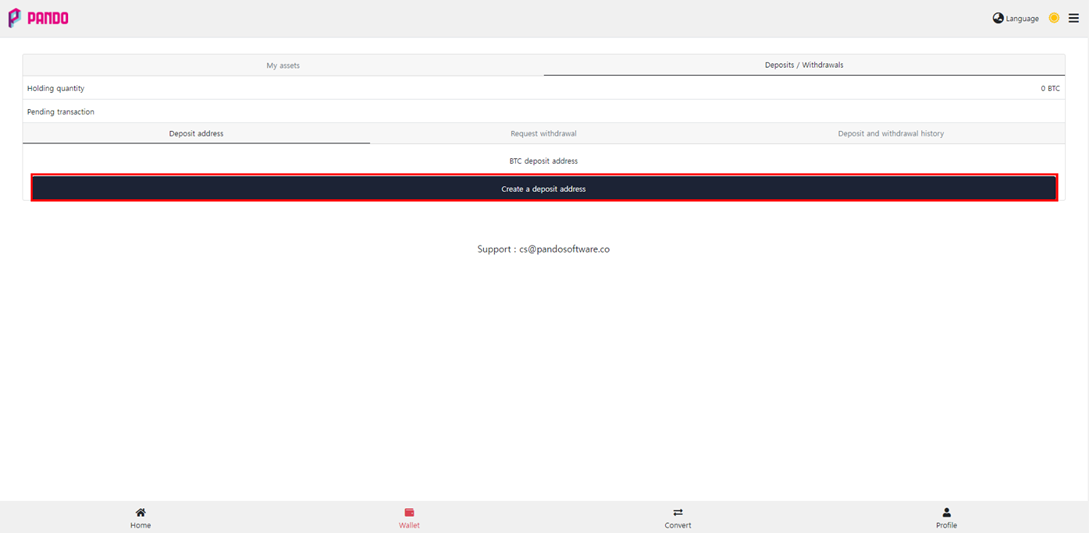
3. Click [Deposit address] – [Create a deposit address] to get a wallet address for your account.
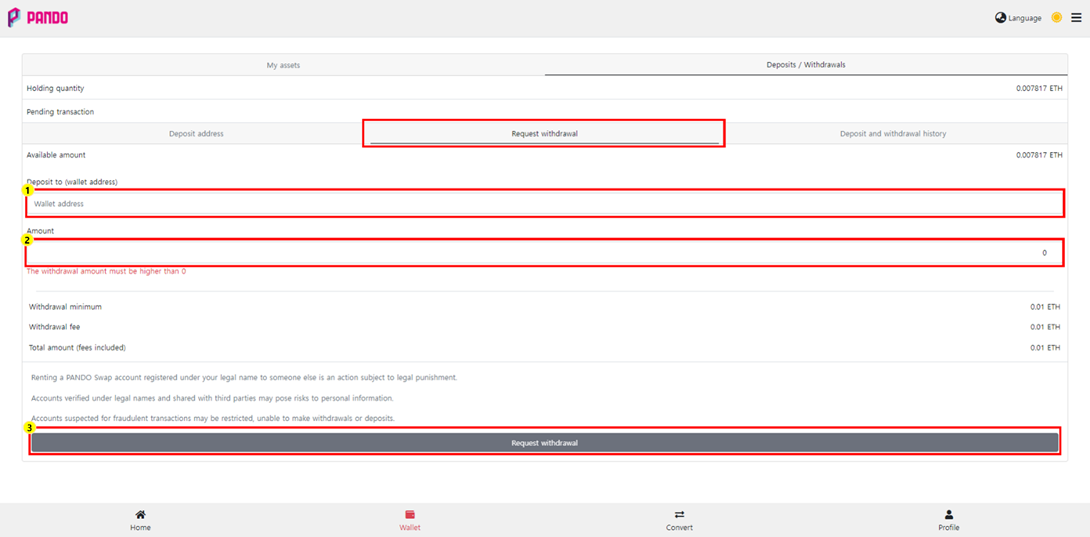
4. After connecting to the [Request withdrawal], enter the appropriate information in each field and click ③.
① Wallet address where the withdrawn assets will be deposited
※ If you enter your wallet address incorrectly, it may be difficult to retrieve your assets. Be sure to check that you have entered your wallet address correctly before withdrawing.
② Quantity of assets to be withdrawn
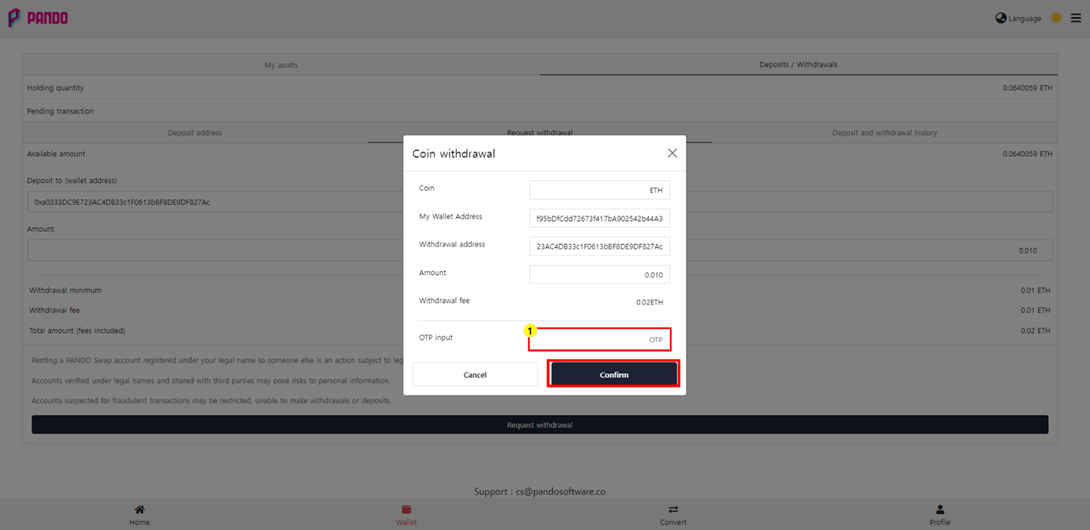
5. After entering the OTP, click [Confirm] to complete the withdrawal request.
① OTP input field [OTP registration guide]
※ Transactions in progress can be checked in [Deposit and withdrawal history].
For additional issue resolution, please check [PANDO Swap FAQ].