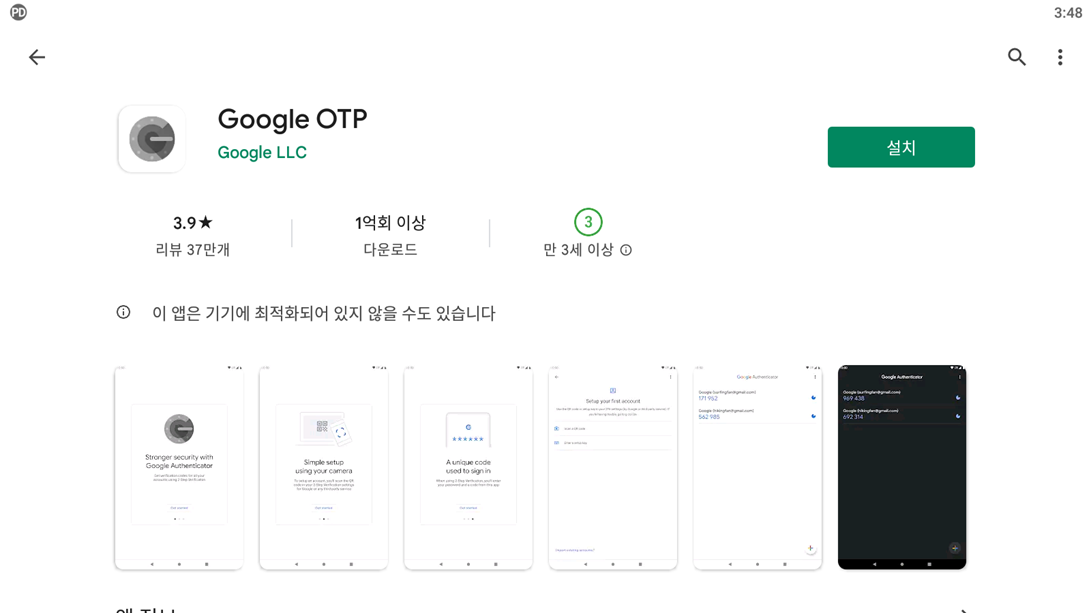
1. Install ‘Google OTP’ from [Play Store] or [App Store].
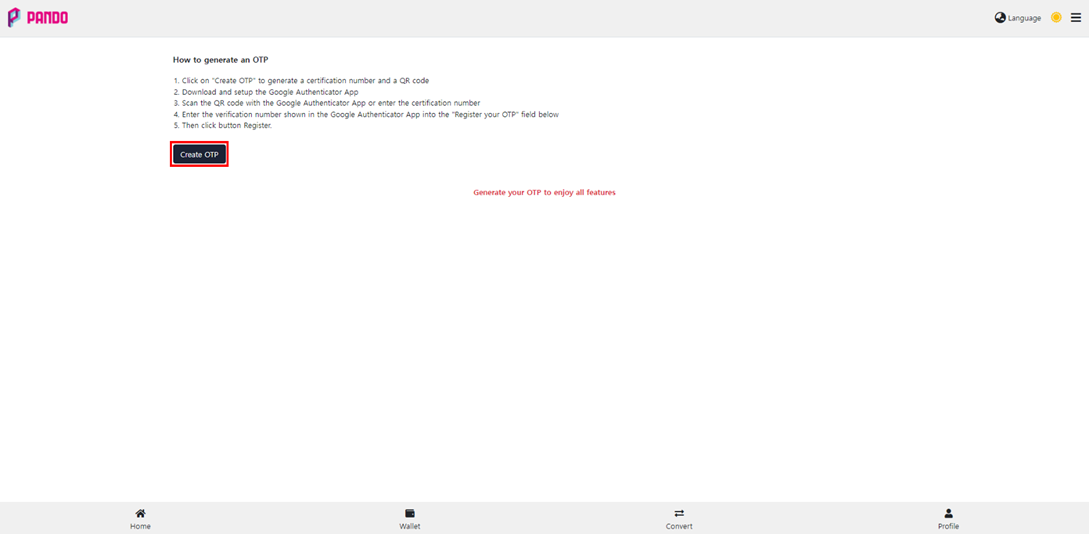
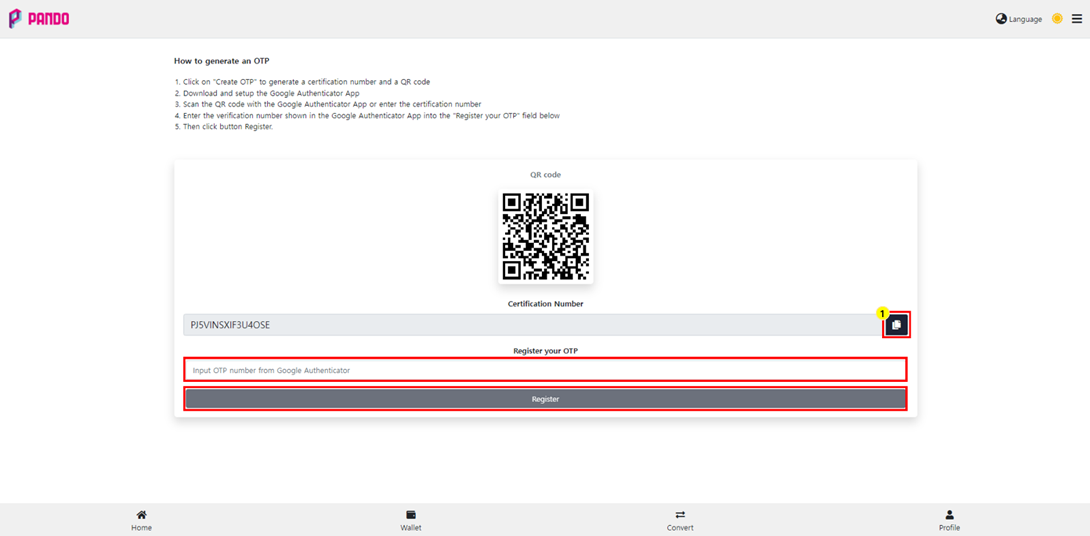
2. After logging in to PANDO Swap, click [Profile] – [How to generate an OTP].

3. Click [Create OTP].
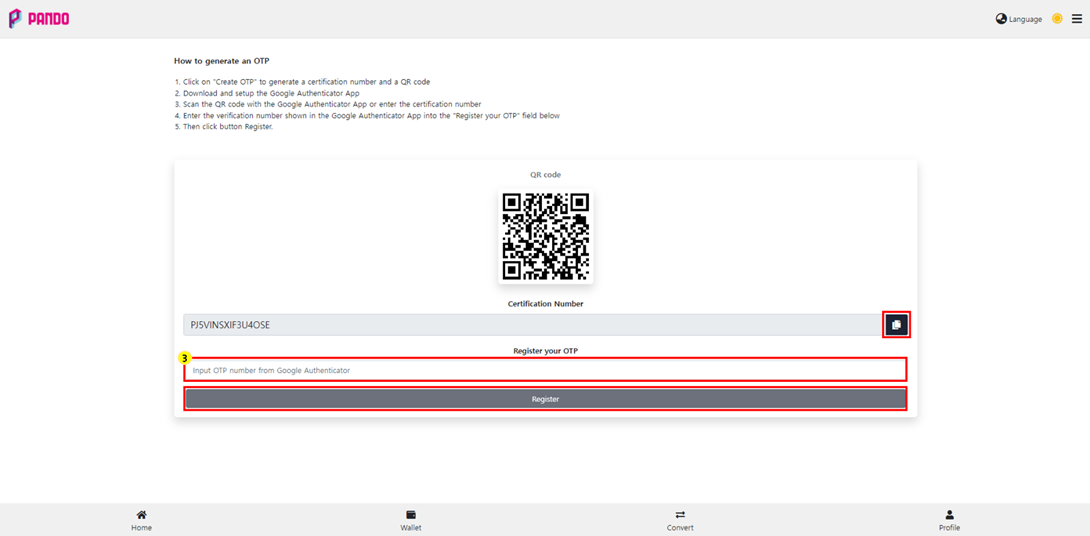
4. Click ① to copy the ‘Certification Number’.
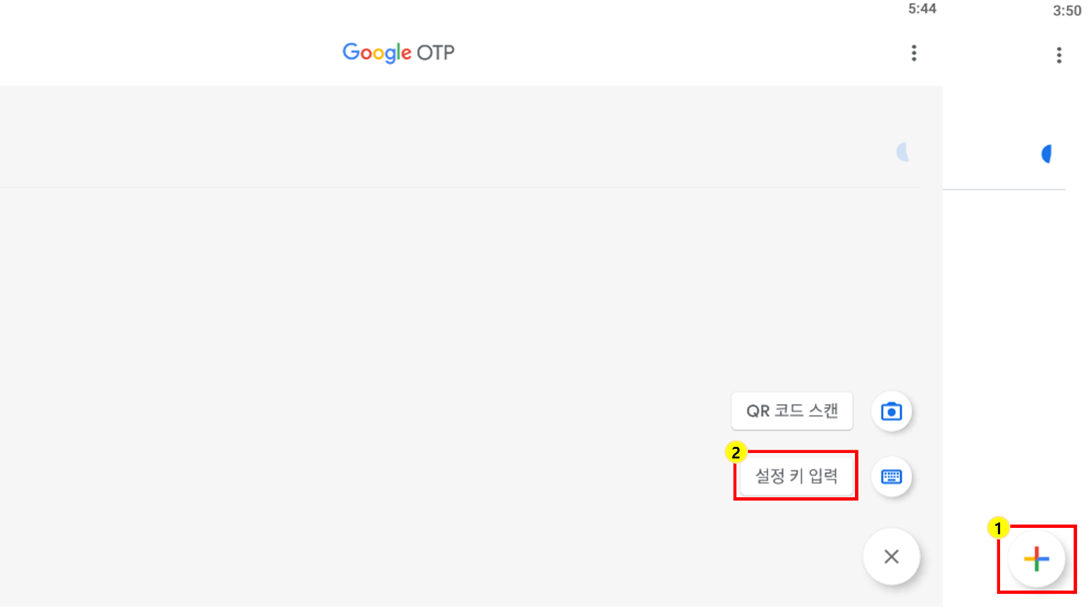
5. After accessing the ‘Google OTP’ installed in step 1., click [⨁] – [Enter setting key].
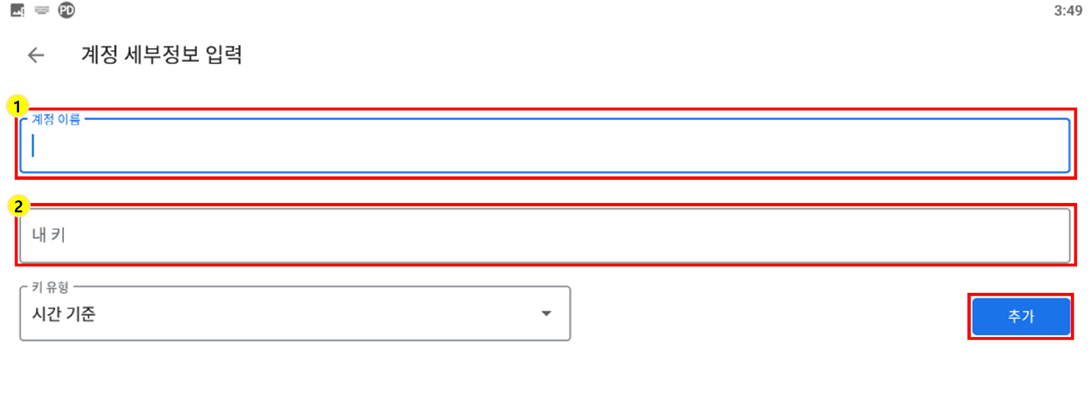
6. After entering all requested information, click [Add] to register your OTP.
① The name of the OTP account you want to check
② OTP key number to register (input or paste ‘Certification Number’ copied from PANDO Swap)
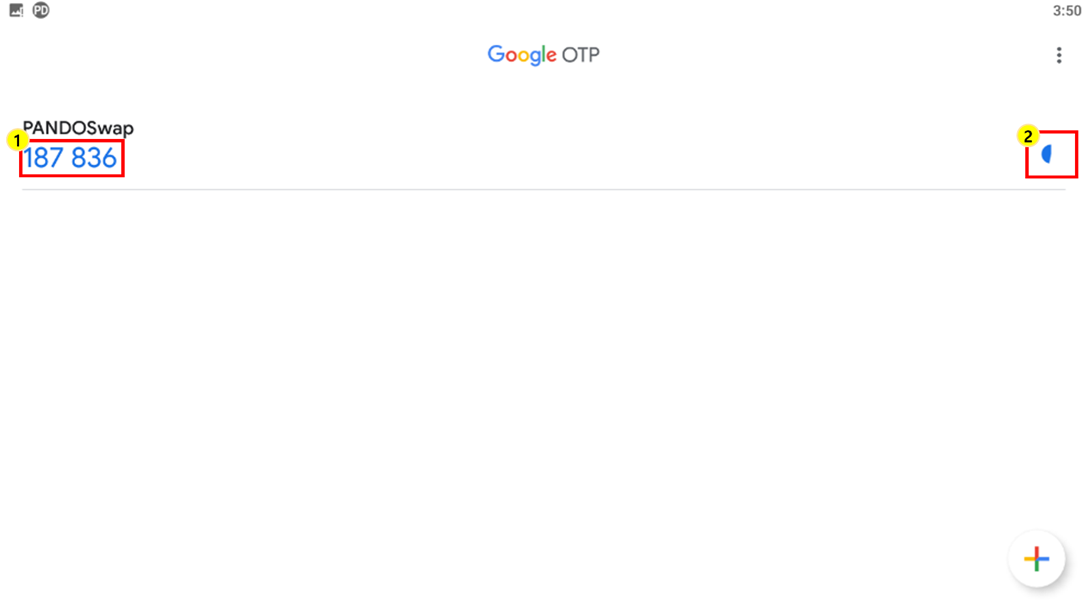
7. Registered OTP number ① must be entered in the box ③ on the page that you proceeded in step (4.) of this Guideline before the time displayed in the box ② passes.
Click [Register] to complete the registration.